Updated November 24, 2026
A security researcher found about 2 billion stolen logins and passwords sitting in an online database that anyone could open. It had no password and no encryption. The hosting company has now closed it, but nobody knows who copied the data first. There is no way to search that database for your own name, so the safe move is to run the free checks below on your phone today.
What we know
- Researcher Jeremiah Fowler found the database and published his report on November 24, 2026. Wired reported it first the same morning.
- It held roughly 2 billion records: email addresses, usernames and passwords in plain text, spread over 8,471 folders. Some files were sorted by country, including the US, UK, France, Germany, Spain and Mexico.
- Some records also held browser cookies, session tokens and device details. Fowler says these give attackers more ways in than a password alone.
- The data appears to come from “infostealer” malware on people’s own devices. Fowler told Wired there is no sign that any single company was hacked to build it.
- About 400,000 documents were full profiles of individual victims: saved passwords, cookies, app data and other files in one folder per person.
- Fowler reported it to the hosting provider, and public access was cut off several days later.
What we don’t know yet
- Who owned the database, and whether it was a criminal marketplace or a research collection.
- How long it was open, and whether anyone else downloaded it.
- How many real people are in it. Fowler says 2 billion records does not mean 2 billion victims, because the files include duplicates, old passwords and many accounts from the same person.
- Whether your accounts are in it. Fowler did not download the data, and no public search tool covers this database so far.
Does the 2 Billion Passwords Leak Affect You?
Maybe, and you cannot rule it out. The records cover almost every kind of account: personal and work email, banking, crypto, social media, streaming, shopping and government sites. Wired reports hundreds of millions of mainstream email accounts and more than 100 million social media accounts.
This was not a break-in at Google, Apple or Facebook. Infostealer malware sits on one infected device and copies every login saved in its browsers and apps. So one infected laptop can give away dozens of accounts, including the ones you also use on your phone.
That is why it matters to phone owners. If your Gmail password was taken from an old family computer, the thief can use it from anywhere. Your email is the biggest risk, because whoever controls it can reset the passwords of your other accounts.
Why Stolen Cookies Are Worse Than Stolen Passwords
When you sign in to a site, it stores a small file (a cookie or session token) so you stay signed in. If malware copies that file, a thief can load it into their own browser and appear as you, already signed in, without typing your password.
Fowler points out that this database goes further than the 149 million logins he reported earlier this year, which were mostly usernames and passwords. His advice is to revoke active sessions as well as change passwords. In plain terms: sign out of your other devices, which is step 3 below.
7 Steps to Protect Your Accounts Now
Do these in order. Menu names were checked against Google’s, Apple’s and Microsoft’s help pages on November 24, 2026.
1. Make sure your devices are clean first
Fowler’s report warns that new passwords do not help if the malware is still there, because it captures them as you type. Start with the computer, since that is where browsers keep most saved logins.
- Windows: open the Windows Security app, then choose Virus & threat protection > Quick scan. Microsoft’s Windows Security page has the details. Also install pending updates; if yours fail, see our guide to the Windows 11 November update problems.
- Android: open the Play Store, tap your profile icon, then Play Protect > Settings and check that Scan apps with Play Protect is on. Google says Play Protect is on by default and scans apps from other sources too.
- iPhone: install the latest iOS. Our iOS 27.2.1 security update guide shows how.
If a scan finds something, or a computer acts strangely, stop using it for sign-ins. Fowler’s advice is to change important passwords from a separate, clean device.
2. Run a password check on your phone
Both phone platforms compare your saved passwords with known leaks for free.
- Android (Chrome): tap More > Settings > Autofill and passwords > Google Password Manager > Checkup. In any browser, you can go to passwords.google.com and choose Go to Password Checkup > Check passwords. Google’s Password Checkup page explains the three results: compromised, reused and weak.
- iPhone: open the Passwords app and tap Security. To get alerts in future, go to Settings > Apps > Passwords and turn on Detect Compromised Passwords, as Apple’s guide describes.
You can also type your email address into Have I Been Pwned, a free site that lists known breaches containing it. A clean result on any of these tools is good news, but it is not proof. They only know about leaks that have been loaded into them.
3. Change your email password, then sign out everywhere
Start with your main email account, then your bank, then anything flagged in step 2. Give each account its own password.
Next, end any stolen sessions:
- Google: open your Google Account, tap Security & sign-in, then Your devices > Manage all devices. Tap anything you don’t recognize and choose Sign out. Google’s device list page shows what each entry means.
- Apple: open Settings, tap your name and scroll down to the device list. Tap a device you don’t know, then Remove from Account. See Apple’s device list page.
Most banks, social apps and shops have a similar “sign out of all devices” option in their security settings.
4. Turn on 2-step verification
With a second step, a stolen password is not enough on its own. On Google, go to Security & sign-in and choose Turn on 2-Step Verification under “How you sign in to Google”.
Pick an app prompt or an authenticator app where you can. Google’s own help page says codes sent by text or call can be vulnerable to phone-number hacks.
5. Use a passkey where a site offers one
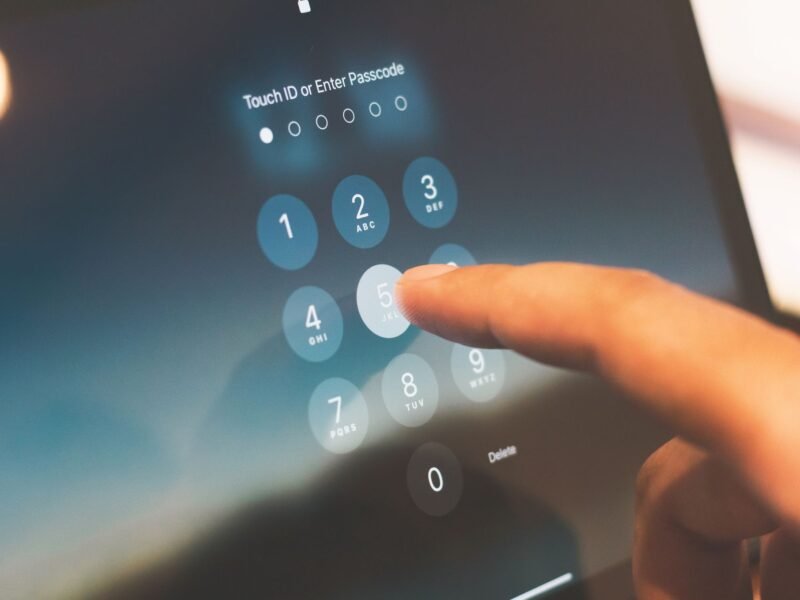
A passkey lets you sign in with your fingerprint, face or screen lock. Google notes that passkeys exist only on your devices, and cannot be written down or handed to a scammer by mistake. On iPhone, the Passwords app offers the upgrade when you change a password on a site that supports passkeys.
6. Let a password manager create the new passwords
The built-in ones are free: Google Password Manager on Android and the Passwords app on iPhone. Each can create a strong, different password for every site and fill it in for you. Both researchers told Wired that password managers and multi-factor sign-in have broadly proved effective at keeping attackers out of consumer accounts.
7. Watch for scam emails about the leak
Big security news is often followed by fake “your account was exposed” messages. We saw the same trick with the fake Microsoft 365 outage emails this month. Don’t use links in such emails. Open the site or app yourself and check there.
What If You Think an Account Was Already Taken Over?
Signs include sign-in alerts you didn’t cause, password reset emails you didn’t request, sent messages you didn’t write, and unknown devices in the lists from step 3.
Use a clean device. Change the password, sign out all other sessions, and check that the recovery phone number and recovery email are still yours. For a Google Account, the hacked account page walks you through it. Call your bank directly if you see payments you don’t recognize.
For the longer view on how the two phone platforms handle your data, see our comparison of iPhone vs Android privacy.
Quick Answers
Was Google, Apple or Facebook hacked? No. Fowler told Wired there is no sign that individual companies were breached. The logins appear to have been stolen from people’s own infected devices.
Can I check whether my password is in the 2 billion leak? Not directly. The researcher did not download the data, and no public tool searches this database so far. Password Checkup on Android, the Passwords app on iPhone and Have I Been Pwned check against other known leaks.
Do I need to change every password? Change your main email and banking passwords, plus anything a password check flags or any password you reuse. Scan your devices first, or the new password could be stolen too.
Does 2-step verification stop this? It stops a thief who only has your password. It may not stop one who has a stolen session cookie, which is why you should also sign out of all devices.
Are 2 billion people affected? No. Fowler says the count includes duplicates, expired passwords and many accounts belonging to the same person.
Is the database still online? No. The hosting provider restricted public access several days after Fowler reported it. Whether someone copied it before then is unknown.