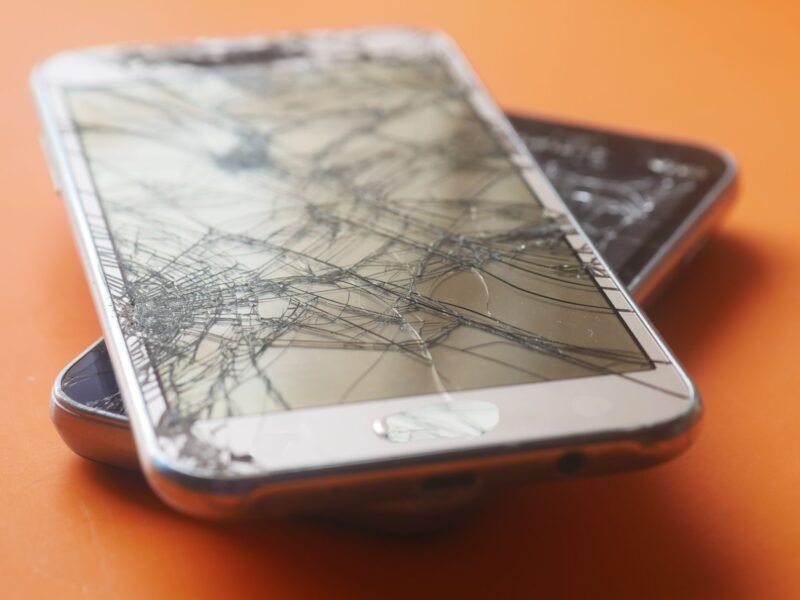
You can’t truly fix a cracked phone screen at home. Glass doesn’t heal, and no paste, glue or polish will close a crack. The real fix is a screen replacement, which costs from about $99 to $289 on a recent Samsung Galaxy S phone and as little as $0 to $29 with a care plan. Until then, cover the glass, back up your data and stop the damage from spreading.
This guide covers what to do in the first ten minutes, which home “fixes” to skip, what Apple, Samsung and Google charge, and how to decide between repairing and replacing. Prices and steps were checked against Apple’s, Samsung’s and Google’s own pages on November 19, 2026.
Is it safe to keep using a phone with a cracked screen?
For a short while, usually yes, if the crack is a hairline, the touchscreen still works and no glass is coming loose. But don’t treat it as normal. Apple’s iPhone safety guide is blunt: “Don’t use iPhone with cracked glass, as it may cause injury.”
There are three real risks:
- Cuts and splinters. Loose slivers of glass can end up in a fingertip, or near your ear and cheek during a call.
- Spreading damage. A crack is a weak point. Pocket pressure, heat and the next small drop can turn one line into a web, and then into dead touch areas or dark patches on the display.
- Water and dust. Water-resistance ratings are measured on an intact phone. Apple says resistance “might decrease as a result of normal wear”, and liquid damage isn’t covered by its warranty. Treat a cracked phone as no longer water resistant. If it does get wet, follow our steps for getting water out of a phone.
Stop using the phone and book a repair straight away if glass is falling out, the screen flickers, lines or black spots are growing, or the phone is bent or swollen.
What to do right after you crack your screen: 6 steps
- Check how bad it is. Wipe the screen gently with a dry microfiber cloth and look at it under a light. Is it a scratch you can’t feel, a chip, one crack, or shattered glass? Test touch in every corner and look for dark spots.
- Back up your data now. A cracked screen can stop responding without warning, so do this while touch still works. On iPhone, Apple’s steps are Settings > [your name] > iCloud > iCloud Backup > Back Up Now, on Wi-Fi. On Android, Google’s steps are Settings > Google > All services > Backup.
- Cover the glass. A tempered-glass screen protector holds the pieces together and keeps your fingers off the edges. No protector to hand? A strip of clear packing tape, trimmed to size, does the same job for a few days.
- Put it in a case. A case with a raised edge keeps pressure off the damaged glass in your pocket or bag.
- Keep it dry and cool. Keep it away from the bathroom, rain and hot dashboards.
- Check your cover before you pay. Look for AppleCare+, Samsung Care+, Pixel Care+, carrier insurance or a credit card protection benefit. With one of these, the fix may cost you $0 to $29.
Can you fix a cracked phone screen at home?
Not in the sense most people hope. A crack is a break that runs through the glass. Nothing you rub on the surface joins it back together. Here is what the popular hacks really do:
| Home “fix” | What actually happens |
|---|---|
| Toothpaste or baking soda | Mild abrasives. They can’t fill a crack, they can wear the screen’s coating, and paste can work its way into the gap. |
| Clear nail polish or super glue | May hide a hairline for a day. It leaves a hard, uneven patch that can dull touch response and makes a later repair messier. |
| Pencil eraser or “magic” sponge | Rubs the surface only. A crack goes deeper than the surface. |
| Liquid-glass coatings | Sold as protection for undamaged screens. They don’t bond broken glass. |
| Screen protector or clear tape | Doesn’t repair anything, but safely holds the glass until the real repair. This is the one worth doing. |
Repair shops say the same. Asurion’s uBreakiFix technicians list toothpaste, erasers and nail polish as myths that do more harm than good.
How to fix a chipped phone screen or a small crack
A chip is a small bite out of the glass, usually at an edge or corner. Like a crack, it can’t be filled in at home. What you can do is stop it from growing:
- Fit a tempered-glass protector over it so the weak spot doesn’t take the next knock directly.
- Use a case with a lip around the screen, since most chips start at the edges.
- Watch it for a week or two. If a line starts to run from the chip across the display, plan the replacement before touch starts to fail.
Light scratches are different. If your fingernail doesn’t catch on the mark, it is cosmetic, and a protector often makes it hard to see.
How much does it cost to fix a cracked phone screen?
It depends on the model and on whether you have a care plan. These are the makers’ own US figures.
Samsung publishes its screen repair prices. This is the front-screen-only repair at a walk-in service center, before tax:
| Galaxy model | Samsung screen repair price |
|---|---|
| Galaxy S26 Ultra | $289 |
| Galaxy S26+ | $229 |
| Galaxy S26 | $209 |
| Galaxy S26 FE | $119 |
| Galaxy S25 Ultra | $279 |
| Galaxy S25 | $189 |
| Galaxy S24 Ultra | $259 |
| Galaxy S24 | $174 |
| Galaxy S24 FE | $99 |
| Galaxy Z Fold8 | $419 inner screen, $139 outer |
| Galaxy Z Flip8 | $249 inner screen, $129 outer |
Samsung says these are suggested prices that can vary by location. The screen-only repair also requires a phone with no bent or broken frame and no swollen battery. Repairs come with a 90-day warranty. See the full list on Samsung’s cracked screen repair page. With Samsung Care+, a cracked screen costs $29 per claim, or $0 on the Theft and Loss plan.
Apple doesn’t print one price list. Its iPhone screen repair page has an estimate tool where you pick your model. Three things are fixed, though. Apple’s one-year warranty doesn’t cover accidental damage. With AppleCare+, a damaged screen or back glass is repaired for a $29 to $99 service fee, as often as you need. And Apple Authorized Service Providers can set their own out-of-warranty prices, so ask for a quote first.
Google shows the estimated cost for an out-of-warranty Pixel before you submit the repair order, and offers mail-in and walk-in service in the US. Its Pixel repair page has the steps. With Pixel Care+, the service fee for a cracked front screen or back glass is $0. Inner screens on Pixel Fold phones are excluded from that $0 fee.
Independent repair shops are often cheaper than the maker, but part quality varies. Ask whether the part is genuine and what warranty comes with the work. On an iPhone you can check afterwards at Settings > General > About. Under Parts & Service History, a replaced display shows as “Genuine” or “Unknown”.
Should you replace the screen yourself?
If you have repair experience, it is possible. If you don’t, a phone screen is a hard first project.
Apple’s Self Service Repair program sells genuine parts, rents or sells the tools and publishes repair manuals, including for display replacements. Apple says plainly that it is “intended for individuals with the knowledge and experience to repair electronic devices”. Samsung’s Self-Repair program offers genuine parts, tools and manuals for models such as the Galaxy S25 series.
Before you order a kit, be honest about the trade-offs:
- Modern screens are glued in, with fragile cables behind them. One slip can break the new display or a camera or Face ID part next to it.
- You have to reseal the phone properly, or it loses its protection against splashes.
- Cheap third-party screens can be dimmer or less responsive than the original.
- If something goes wrong, you pay for the parts twice.
For most people, a maker or authorized repair with a warranty is the safer choice.
Repair or replace: which makes more sense?
Get the quote first, then compare it with what the phone is worth to you.
- Repair if the phone is recent, still gets software updates and works well apart from the glass. A $99 to $289 screen is far cheaper than a new flagship.
- Think about replacing if the phone is several years old, the battery is tired, updates have ended, or the quote comes close to the price of a similar phone. Our budget phone guide lists current models with long update support.
- Bent frame or swollen battery? A screen-only repair won’t be offered. Stop charging a swollen phone and take it to a service center.
If the phone survived a drop into water as well as onto concrete, read how waterproof iPhones really are before you trust it near water again.
Before you hand the phone in for repair
- Back up again, so the copy is current.
- Screen not responding? Samsung says you can plug a USB mouse into a Galaxy phone with a USB-C adapter, unlock it with your PIN, and then back up. Samsung’s own backup path is Settings > Battery and device care > Maintenance mode > Back up your data.
- Protect your privacy. Turn on Maintenance mode on a Galaxy, which Samsung built to protect your photos, messages and contacts during a repair, or Repair Mode on an eligible Pixel. Google asks you to factory reset the phone if Repair Mode isn’t available.
- Remove the SIM card and any memory card, and take off the case and protector.
- Know the wait. Walk-in screen repairs are often done the same day. Samsung estimates 5 to 7 business days for mail-in service.
What about a cracked MacBook screen?
The same logic applies, with a bigger bill. A cracked laptop panel can’t be patched. The display has to be replaced. With AppleCare+ for Mac, Apple lists a $49 to $99 service fee for a damaged screen or enclosure. Without it, ask Apple for an estimate before you agree to anything. If your Mac’s display shows stains, lines or dark patches without a visible crack, our guide to MacBook screen discoloration explains the likely causes.
How to stop it from happening again
- Use a tempered-glass protector. It is designed to break first, so the screen under it doesn’t.
- Choose a case with a raised lip around the display.
- Don’t carry the phone in a back pocket, or in the same pocket as keys.
- If you tend to drop phones, a care plan can cost less than one out-of-warranty screen.
Quick answers
How do you fix a cracked screen on a phone? By replacing the screen. A manufacturer service center, an authorized shop or an experienced DIY repair can do it. Home remedies only cover the crack up.
Does toothpaste fix a cracked phone screen? No. Toothpaste is a mild abrasive. It can’t fill or bond broken glass, and it can damage the screen’s coating.
How to fix a crack in a phone screen without replacing it? You can’t make the crack go away. A tempered-glass protector or clear tape holds the glass together and makes it safer to use until you get a replacement.
Will a small crack get worse? It can. Pressure, heat and further drops can make a crack spread. Cover it, use a case and keep an eye on it.
Does the warranty cover a cracked screen? Usually not. Apple’s limited warranty, for example, doesn’t cover accidental damage. Care plans such as AppleCare+, Samsung Care+ and Pixel Care+ do, for a small fee or none.
How long does a screen repair take? Walk-in repairs are often finished the same day. Mail-in service takes longer. Samsung estimates 5 to 7 business days.