Updated November 17, 2026
Scammers are sending fake Microsoft 365 outage emails that say your messages were “held” during the November 12 outage and will be deleted within 24 hours unless you click a button. Microsoft says it never asks you to recover mail this way. Don’t click. If you already did, the steps below show what to check and change, for work and personal accounts.
What we know
- Microsoft’s security team spotted the emails on November 13, 2026, one day after a real outage hit Outlook, Exchange Online and other Microsoft 365 services. It published its full report on November 16.
- The emails pose as Microsoft 365 service health notices. Some quote EX1550543, which is the real incident number for the outage.
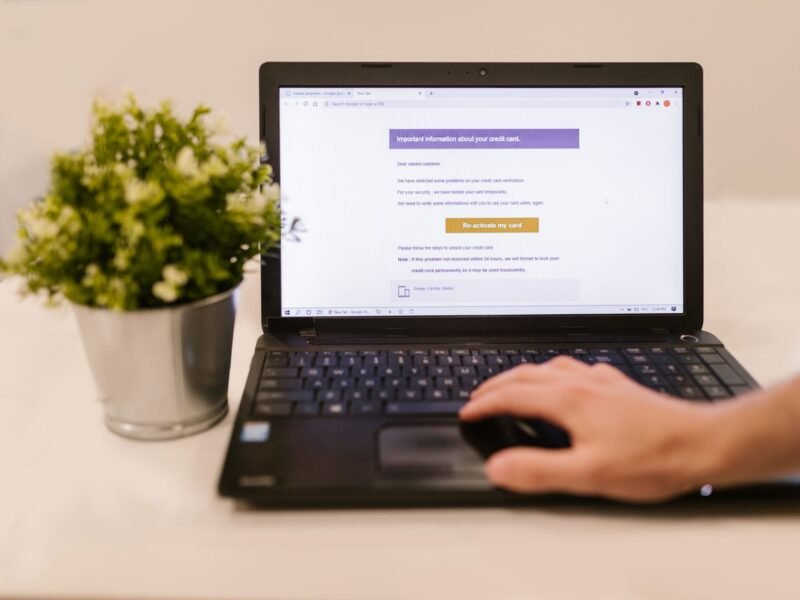
- They claim messages were held and will be deleted within 24 hours. The button says “RESTORE MESSAGES” or “TAKE ACTION”.
- The button leads to a website that does not belong to Microsoft. Microsoft says the goal was likely to steal passwords.
- Microsoft’s samples relied on links. It saw no QR codes and found no evidence of malware.
- Microsoft says its Defender tools now block the websites and quarantine the emails.
What we don’t know yet
- Whether anyone’s password was actually stolen. Microsoft says its evidence does not confirm that.
- Who is behind it. Microsoft has not named a group.
- Whether personal Outlook.com inboxes are being hit. Microsoft only describes emails sent to organizations.
- Whether copies are still arriving with new wording. Microsoft warns that other scammers may reuse the idea.
What Do the Fake Microsoft 365 Outage Emails Look Like?
The trick works because the outage was real. On November 12, many people could not open their mailboxes, so a notice about delayed mail sounds reasonable. The scam then adds a deadline and a single button.
These are the details Microsoft published. Security firm Mimecast, which reported the emails on November 14, found a second version that warns of a “security issue” on your account.
| Part of the email | What the fake one shows |
|---|---|
| Subject | “Outage –” followed by a random code, for example “Outage – aF7vG6”. Also “Restore — 4 messages” or “Strengthen – Security” plus a code |
| Sender name | Three letters, then “Outage Notification” or “Service Health”. Mimecast also saw “Mail-Restore-Auth” and “Health Status” |
| Sender address | Not a Microsoft address. Microsoft lists moments-notice[.]com, planetmaison[.]com and newbooker[.]com |
| Message | Four messages were held after the outage and will be deleted within 24 hours |
| Button | “RESTORE MESSAGES” or “TAKE ACTION” |
| Where the button goes | A non-Microsoft site. Microsoft lists reallifeaccounting[.]com, outagefixed[.]sbs and outagerestored[.]sbs |
Mimecast noticed sloppy details in the second version too: the word “DOMAIN” printed where a company name should be, and a footer that reads “Copyright ©, All rights reserved” with no year or owner.
6 Signs an Outage Email Is a Phishing Email
The exact wording will change, so learn the pattern instead of the sample.
- It asks you to rescue your own mail. Microsoft says real service health messages do not send you to a non-Microsoft site to recover held mail. Delayed mail does not need you to release it.
- It sets a short deadline. “Deleted within 24 hours” is there to stop you from thinking.
- It gives you one big button. A real notice tells you what happened. It does not need you to click.
- The sender’s address has nothing to do with Microsoft. A sender name such as “Service Health” can be typed by anyone. Look at the address behind it.
- Outlook flags the sender. Microsoft’s Outlook phishing guide says a “?” in the sender’s picture means Outlook could not verify who sent the message.
- It quotes a real incident number. EX1550543 is genuine, but the number was widely reported in the news. Quoting it proves nothing about who sent the email.
Was the outage itself an attack? No. Microsoft said in a statement that it was “a technical issue not related to cyber or AI / agents”, according to SecurityWeek. The company traced it to an earlier network capacity upgrade and marked the incident resolved on November 13.
What to Do If You Got One
- Don’t click the button, and don’t reply.
- Report it. In Outlook.com and the new Outlook, select the message, then choose Report > Report phishing. In classic Outlook, choose Report message > Phishing. At work, use whatever reporting button your company has set up, so your IT team sees it as well.
- Delete it.
- If you think mail really is missing, ask your IT help desk. Don’t use any link in the email.
How to Check a Real Microsoft 365 Outage
Go to the source yourself. Type the address or use a bookmark, never an email link.
- Anyone: open status.cloud.microsoft, Microsoft’s public service status page.
- Staff at a company or school: ask your IT team. They see the detailed notices.
- Administrators: sign in at admin.microsoft.com and go to Health > Service health. Microsoft’s service health guide says only admin roles can open this page, which is why most employees should not expect to check it themselves.
November has been a rough month for Microsoft users. If your PC is also acting up, see our guide to the Windows 11 November update problems.
What to Do If You Clicked the Link
If you clicked but typed nothing: close the page. Microsoft found no malware in the emails it examined, so a click alone is unlikely to have harmed your device. Still, tell your IT team if it was a work account. They can check what happened from their side.
If you typed your password, act now. Don’t wait for proof that it was stolen.
Work or school account
- Tell your IT team right away. Say what you typed and when. They can reset your password, sign you out everywhere and check your mailbox for changes. This is the first step Microsoft gives for work computers.
- Change your password if your company lets you do it yourself. Microsoft’s address for work and school accounts is passwordreset.microsoftonline.com.
- Check your sign-in activity. Sign in to your My Account page and select Recent Activity. Microsoft’s My Sign-ins guide says a successful sign-in from a place, browser or device you don’t recognize can mean someone else got in.
- Look for mail rules you didn’t make. In the new Outlook, open Settings > Mail > Rules. Intruders often add a rule that forwards or hides mail.
Personal Microsoft account (Outlook.com, Hotmail)
- Change your password. Sign in at account.microsoft.com, open Security, then select Change Password.
- Sign out everywhere. In your additional security options, scroll to Sign out everywhere and select Sign out. Microsoft’s sign-out page says this can take up to 24 hours.
- Check forwarding, automatic replies and connected accounts. Microsoft tells owners of hacked accounts to review all three.
- Change the same password anywhere else you used it.
How to Make the Next Fake Microsoft Email Harmless
A stolen password is worth much less when it isn’t enough to sign in.
- Add a passkey. You sign in with your face, fingerprint or device PIN. Microsoft’s account security page says passkeys “can’t be phished, guessed, or stolen”. In your Microsoft account security settings, under Ways to prove who you are, select Add a new way to sign in or verify.
- Turn on two-step verification. It is under Additional security on the same page. At work, your IT team controls this.
- Keep your phone and PC updated. Updates close holes that scam pages and bad links try to use. The recent iOS 27.2.1 security update is one example.
- Be extra careful on a phone. Mail apps on small screens often show only the sender’s name, not the address. Open the sender details to see the full address before you trust it. Our iPhone vs Android privacy comparison covers what each platform does to protect you.
Expect more of this. Microsoft warns that scammers look for big news events to copy, and any widely reported outage is a ready-made excuse for an “urgent” email. The next one came quickly: Apple services went down on November 17. Treat payment notices with the same care, especially now that AI assistants can pay for things, as with the new ChatGPT Wallet.
Quick Answers
Is the Microsoft 365 outage email real? If it tells you to click a button to restore held messages before they are deleted, no. Microsoft says its service health messages do not send you to a non-Microsoft site to recover mail.
Will my held emails really be deleted in 24 hours? No. The deadline is invented to rush you. Microsoft does not ask you to “release” delayed mail through a link in an email.
Is EX1550543 a real incident number? Yes. It is the number Microsoft gave the November 12 Exchange Online outage. Scammers copied it to look official. It says nothing about who sent the email.
I clicked the link but didn’t type anything. Am I safe? Probably. Microsoft found no malware in the emails it examined. Close the page, and tell your IT team if it was a work account.
I typed my password. What should I do first? For a work account, tell your IT team so they can reset the password and sign you out everywhere. For a personal account, change the password at account.microsoft.com, then use Sign out everywhere.
Was the Microsoft outage caused by hackers? Microsoft says no. It described the outage as a technical issue tied to an earlier network upgrade. The phishing emails came afterward, from scammers taking advantage of the news.
Details of the campaign come from Microsoft’s November 16 security report. Menu paths were checked against Microsoft’s support pages on November 17, 2026.