Updated November 22, 2026
Google is shutting down the Nest app on January 25, 2027, and Google Assistant on smart speakers and displays on August 2, 2027. Your Nest thermostats, cameras, doorbells, alarms and speakers keep working. But you need the Google Home app, a Google Account, and one free upgrade to Gemini for Home that does not happen by itself. Here are the dates, who has to act, and the steps.
What we know
- The Nest app stops working on Android, iPhone, TV and the web (home.nest.com) on January 25, 2027. Nest devices and video history move to the Google Home app automatically from that day.
- Old Nest accounts that were never moved to a Google Account have a final deadline of March 25, 2027. After it, Google deletes the account, its data and its subscriptions.
- Clips you saved by hand on home.nest.com do not transfer. You have to download them before January 25.
- Nest Aware (1st gen) plans switch to Google Home Premium Advanced on January 25.
- Google Assistant on speakers and displays is discontinued from August 2, 2027. Gemini for Home replaces it, at no cost, but only after you accept the upgrade.
- Google says no device loses support because of either change.
What we don’t know yet
- When Gemini for Home will reach countries that are not on Google’s list yet. Google only says “over the coming months”.
- Whether the Nest-only features that are missing from Google Home today will be added before January.
- What Nest Aware (1st gen) subscribers who now pay under $20 a month will pay after their first year.
What Is Google Shutting Down, and When?
Google announced both changes on November 20, 2026 in a post on its Google Home and Nest community, first reported by 9to5Google. These are the dates that matter:
| Date | What happens | Who must act |
|---|---|---|
| Before January 25, 2027 | Last chance to download saved clips from home.nest.com | Owners of older Nest cameras and doorbells |
| January 25, 2027 | Nest app retired. Devices and video history start moving to Google Home. Nest Aware (1st gen) becomes Google Home Premium Advanced | Everyone who still opens the Nest app |
| March 25, 2027 | Google starts deleting Nest accounts that are not linked to a Google Account | Anyone who still signs in with a Nest password |
| August 2, 2027 | Google Assistant starts switching off on speakers and smart displays (Google says this may take several weeks) | Every home that has not upgraded to Gemini for Home |
It is the second Google shutdown with a hard date this season. Fitbit owners are dealing with third-party apps and clock faces ending on November 28.
Will My Nest Devices Stop Working?
No. Google’s Nest app transition guide says the change “only affects the Nest app, not your Nest hardware”. The guide lists these as supported in the Google Home app:
- Thermostats: Nest Learning Thermostat (3rd gen and 4th gen), Nest Thermostat E, Nest Thermostat (2020) and the Nest Temperature Sensor.
- Cameras and doorbells: Nest Cam Indoor and Outdoor (1st gen, wired), Nest Cam IQ Indoor and Outdoor, Nest Hello, the Nest Hub Max camera, and every Nest camera and doorbell launched in 2021 or later.
- Smoke and CO alarms: Nest Protect (2nd gen), until the expiration date printed on the device.
- Locks: Nest x Yale Lock with Nest Connect.
After January 25 the devices still run in your home even if you do nothing. What you lose is the app: no remote control, no live view and no notifications until you open Google Home. You will not have to scan QR codes or set anything up again.
What to Do Before the Nest App Shuts Down
There are five short steps. Do them in order.
- Install the Google Home app from Google Play or the App Store and sign in.
- Check which kind of account you have. Open the Nest app’s sign-in screen. If “Sign in with Google” shows your home, you are done with this step. Google says everyone who started with the Nest app after August 19, 2019 already uses a Google Account.
- If you sign in with a separate Nest password, migrate. In the Nest app, tap Settings > Account > Migrate to a Google Account and follow the prompts. Google’s account help page warns that this cannot be undone, and that home members with Full Access lose access when the owner migrates. You can invite them again, as long as they have a Google Account.
- Download your saved clips. On a computer, go to home.nest.com and use the “Download All” button. Recent video history transfers by itself. Hand-saved clips in the clip library do not.
- Look for your devices in Google Home. Thermostats, Nest Protects and Nest x Yale locks appear as soon as the account is linked. Cameras and doorbells follow automatically from January 25.
Use a personal Gmail account if you can. Google now allows a Workspace account, but says you “may not have full functionality”, and Gemini for Home does not support work accounts for now. If privacy is the reason you kept a separate Nest login, our comparison of how Apple and Google handle your data explains what a Google Account collects.
What You Lose When Nest Moves to Google Home
Most coverage of the shutdown skips this part. Google’s own device transfer page lists features that exist only in the Nest app and “aren’t currently available” in Google Home. The ones people are most likely to miss:
- Changing a camera’s Wi-Fi network without resetting it
- Email notifications
- Public and password-protected livestream sharing
- Timelapses and saving clips to the Nest library
- Zoom & Enhance and Supersight close-up tracking
- Adjustable microphone sensitivity
Two more changes are easy to overlook. Moving to a Google Account ends the Nest app on Apple TV and Android TV. And on the web, home.google.com lets you download clips of up to 5 minutes.
What Happens to Nest Aware (1st Gen) Subscriptions?
They become Google Home Premium Advanced on January 25, with no need to enter your card again. Google’s subscription transition page gives the terms:
- Paying under $20 a month now: you keep your current price for the first year.
- Paying over $20 a month now: your plan drops to $20 a month or $200 a year, and it covers every compatible camera instead of charging per camera.
- On a 30-day continuous recording plan: this is the downgrade. You get 10 days of 24/7 recording plus 60 days of event history. Recordings made before the switch stay available for up to 60 days.
If you miss the account deadline, cameras keep recording in the background until March 25, 2027. Then Google ends billing, deletes the video history and refunds any prepaid time. ADT customers are not affected, because ADT systems do not use the Nest app.
Google Assistant Is Ending on Speakers: Do You Have to Upgrade?
Yes, and this is the detail to remember: the upgrade is not automatic. Google’s Assistant transition FAQ says that because Gemini for Home comes with new terms, you have to accept it yourself. If you do not, “Google Assistant will stop responding” after the cutoff and the speaker will ask you to finish the free upgrade. You can do it later and the device comes back.
This covers Google Home and Nest speakers and displays, and Assistant speakers from other brands. It is the same shift that is happening everywhere else at Google, where Gemini now runs multi-step tasks for free and can even control apps on a Mac.
How to Switch a Speaker to Gemini for Home
- Update the Google Home app. Google lists version 4.1 or higher as the minimum.
- Open the app and tap your profile picture or initial at the top right.
- Tap Home settings.
- On the banner “Set up Gemini for Home for more natural conversations”, tap Get started and follow the prompts.
One upgrade covers every compatible device and every person in the home. Read this before you tap: Google’s Gemini for Home page says that once a home switches, “it can’t switch back to Google Assistant”.
No banner? The same page lists the usual reasons: a work or school account, an assistant language that is not supported yet, a country that is not on the list, or old firmware (speakers need Cast firmware 3.76 or higher, displays need Fuchsia 28 or higher). The list currently includes the US, UK, Canada, Australia, Japan, Mexico and much of Western Europe, with India, Brazil, South Korea and three more places marked “coming in December”.
Is Gemini for Home Free, and Which Speakers Get It?
The basics are free: smart home control, music and video, alarms and timers, calendar, notes, lists, reminders and general questions. Gemini Live conversations and searching your camera history need a Google Home Premium subscription.
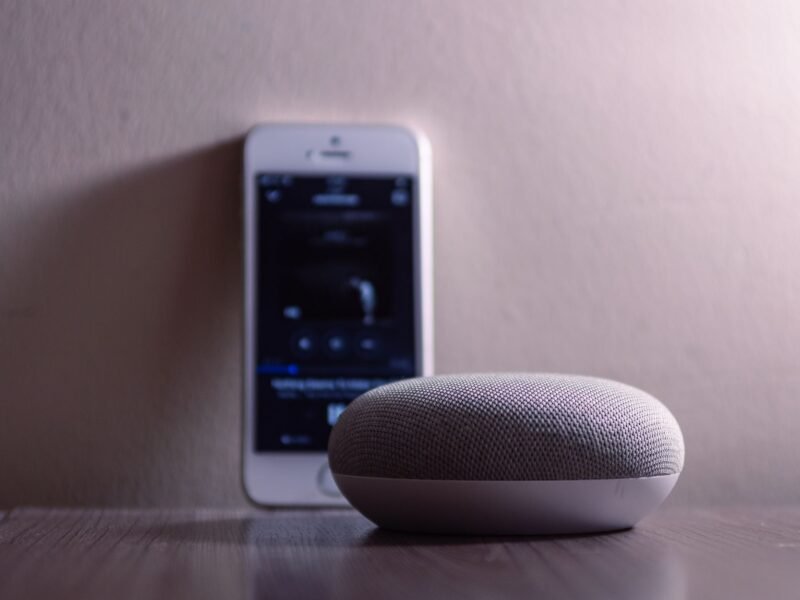
Google lists the full experience on the Google Home Speaker (2026), Nest Audio, Nest Mini (2nd gen), Home Mini (1st gen), Nest Hub (1st and 2nd gen) and Nest Hub Max. The original Google Home, Home Max, Nest Wifi point and third-party speakers get most features, but not Gemini Live.
Apple is making a similar push into AI-led smart home control, with a rough start of its own that we covered in our guide to HomeView problems and fixes.
Quick Answers
When is the Nest app shutting down? January 25, 2027, on Android, iPhone, TV and the web at home.nest.com. After that you control Nest devices in the Google Home app or at home.google.com.
Will my Nest thermostat still work after January 25? Yes. Google says devices keep working in your home, and that schedules and settings transfer automatically. You only need the Google Home app to control it remotely.
What happens if I never migrate my Nest account? You lose app access on January 25, 2027. From March 25, 2027 Google deletes unlinked Nest accounts together with their data, video history and subscriptions.
Is Google Assistant going away on my phone too? This announcement is only about speakers and smart displays. They lose Assistant from August 2, 2027 and need the free Gemini for Home upgrade to keep answering.
Can I go back to Google Assistant after upgrading? No. Google says a home that switches to Gemini for Home cannot switch back.
Do I have to pay for Gemini on my speaker? No. Everyday voice features cost nothing. Only extras such as Gemini Live and camera history search need Google Home Premium.
Dates, steps and device lists were checked against Google’s Home and Nest help pages on November 22, 2026.