Updated November 10, 2026
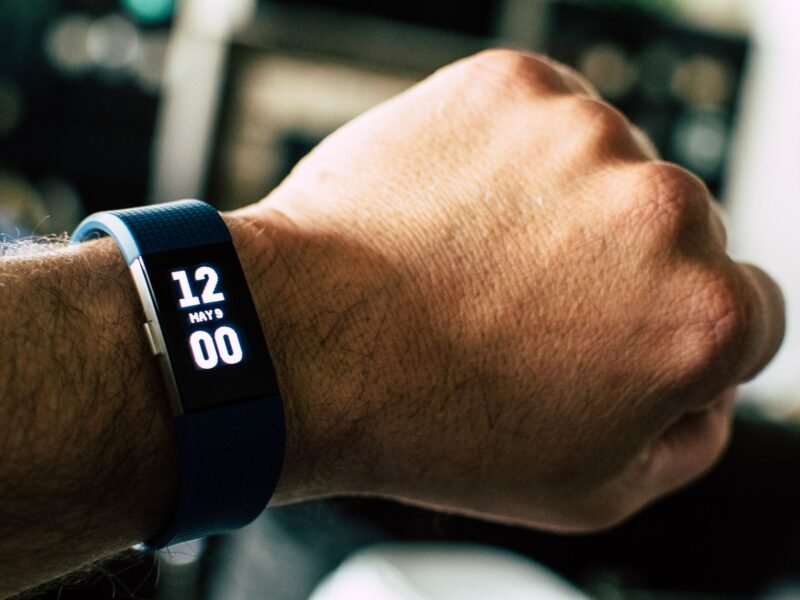
From November 28, 2026, Fitbit Sense and Versa smartwatches can no longer install or update third-party apps and clock faces. What is already on your watch keeps working, but anything you delete, or lose in a factory reset, cannot be installed again. If you own one of these watches, you have until November 27 to set it up the way you want it. Here is what to do first.
What we know
- The cut-off date is November 28, 2026. Google has put it on its own help pages.
- Eight watches are on Google’s list: Fitbit Sense, Sense 2, Versa, Versa Lite, Versa 2, Versa 3, Versa 4 and the recalled Ionic.
- Third-party apps and clock faces that are already installed will continue to work after the date.
- Delete one, or factory reset the watch, and it cannot be reinstalled.
- Apps and clock faces made by Fitbit and Google stay available. Google asks owners to update the Google Health app to version 5.12 so those keep working.
What we don’t know yet
- Why Google is doing this. Its help pages give no reason.
- Whether installed third-party apps and clock faces survive moving the watch to a new phone. Google’s pages only mention deleting and factory resetting.
- How long installed third-party apps will keep working in practice. Their developers can no longer send fixes after November 28.
What Is Changing for Fitbit Third-Party Apps on November 28?
Google announced the change on November 9, and 9to5Google was among the first to report it. The wording now sits at the top of Google’s help page for Fitbit apps: starting on November 28, 2026, “you can no longer install or update third-party apps and clocks on Fitbit smartwatches.”
After that date, the Fitbit App Gallery inside the Google Health app will only offer apps and clocks developed by Fitbit and Google. According to 9to5Google, developers face the same deadline: they can no longer upload new apps and clock faces or update existing ones, and Google will retire the tools they used to manage them.
Nothing switches off on the day. The change only bites when you remove something, because the gallery will no longer hand it back.
Which Fitbit Watches Are Affected?
| Watch | What it loses on November 28 |
|---|---|
| Fitbit Sense, Versa 3, Versa 2, Versa Lite, Versa | New installs and updates of third-party apps and clock faces |
| Fitbit Sense 2, Versa 4 | New installs and updates of third-party clock faces (these two never had third-party apps) |
| Fitbit Ionic | Same as the older watches, but it is under a voluntary recall |
The model list comes from Google’s help page. The note on the Sense 2 and Versa 4 comes from Gadgets & Wearables, which covered Fitbit’s decision to leave third-party apps off those two watches when they launched in 2022.
Fitbit trackers such as the Charge, Inspire and Luxe are not on Google’s list. Neither are the newer Google Fitbit Edge and Fitbit Air, or the Pixel Watch.
If you still wear an Ionic, Google’s page points you to its Ionic safety recall page instead.
5 Things to Do Before November 28
These steps follow Google’s own instructions for the Google Health app, checked on November 10, 2026.
1. Update the Google Health app
Google asks owners to update to app version 5.12 so that Fitbit and Google apps “continue to function as expected”. Open the App Store or Google Play on your phone and install any pending Google Health update.
2. Install the third-party apps you want to keep
- Open the Google Health app with your watch nearby.
- At the top left, tap Connections, then your device.
- Tap the Apps tab and browse the gallery.
- Tap the app you want, then tap Install.
A Sense or Versa watch can hold up to 39 apps. Some watches need a Wi-Fi connection to install or update certain apps.
3. Take the last updates
In the same Apps tab, any app with a pending update shows an Update button next to its name. Tap it now. After November 28, the version on your watch is the version you keep. On a Versa Lite, updates never arrive by themselves, so check by hand.
4. Choose your five clock faces
This is the step most owners will care about. Sense and Versa watches save up to five clock faces. To add one, go to Connections > your device > Watch faces, open the Clocks tab, tap a face and tap Install.
There is a catch that Google’s clock face page explains. If you already have five saved faces and pick a sixth, it appears on the watch but is not added to your saved list. To save it, you first have to remove one of the five. So settle on your five Fitbit clock faces before the deadline. After it, removing a third-party face to make room means losing that face for good.
5. Do any factory reset now, not later
If your watch has been misbehaving and you were planning to wipe it, do it before November 28 and reinstall your apps and faces afterwards. On Sense and Versa watches the option is under Settings > About > Factory Reset. After the deadline, a reset removes every third-party item permanently.
What to Avoid After November 28
- Do not delete third-party apps or clock faces “to tidy up”. There is no undo.
- Try a restart before a reset. Google’s restart instructions say a restart turns the watch off and on without losing activity data, and Google lists it as the thing to try for syncing problems, a frozen screen or missing notifications. A restart is not a factory reset.
- Do not switch off a clock face’s permissions without a reason. Google warns that turning off permissions can stop a face or app from working. Our iPhone vs Android privacy comparison explains how permissions work on the phone side.
- Expect bugs to stay. If a third-party face starts showing “0” or missing stats, Google’s advice is to switch to a face in the “By Google Health” category to check whether the watch or the face is at fault. After November 28, a broken third-party face cannot be patched by its developer.
Aria Scales Change on the Same Day
One more detail sits in Google’s page on erasing Fitbit devices, and it has had far less attention. Starting November 28, 2026, with app version 5.12, you can no longer pair or re-pair the original Fitbit Aria and the Aria 2 smart scales.
A scale that is already paired, and stays paired, will continue to sync, and previously synced data is not affected. But if you unpair an Aria or Aria 2 after that date, you cannot pair it again. The Aria Air is not affected. So if you own one of the two older scales, leave it paired.
Why Is Google Doing This?
Google has not said. What is on record is the direction of travel. Gadgets & Wearables notes that Google already removed third-party Fitbit apps and clock faces for owners in the European Economic Area in 2024, citing regulatory requirements. And 9to5Google points out that the company has put its smartwatch effort into Wear OS and the Pixel Watch.
It is a reminder that how long a maker supports a device matters as much on the wrist as in the pocket. On phones, the gap between brands is easy to see in our Samsung vs OnePlus comparison, where update promises are part of the decision.
It has also been a rough month for fitness data in general. Galaxy owners are dealing with Samsung Health step history that went missing, and Pixel owners spent the start of the month asking why Google’s November update was late.
Should You Still Buy a Sense 2 or Versa 4?
Both watches were still listed on the Google Store on November 10, with Black Friday deal prices of $199.95 for the Sense 2 and $159.95 for the Versa 4 shown on its deals page. They still track health and fitness, and Fitbit’s and Google’s own apps and clocks remain.
But buy one knowing the limits. Neither watch runs third-party apps, and from November 28 a new owner can only choose clock faces made by Fitbit and Google. If a wide choice of apps or faces matters to you, look at a watch with an open app store instead.
Quick Answers
Will my third-party Fitbit clock faces stop working on November 28? No. Google says installed apps and clock faces from third-party developers will continue to work. You only lose one if you delete it or factory reset the watch.
Can I reinstall a third-party app after a factory reset? Not after November 28, 2026. Google’s help page says that once you delete an app or clock face, or factory reset your device, you can no longer re-install it.
Which Fitbit watches are affected? Fitbit Sense, Sense 2, Versa, Versa Lite, Versa 2, Versa 3, Versa 4 and Ionic. Trackers such as the Charge and Inspire are not on Google’s list.
How many clock faces can I keep on a Fitbit Versa or Sense? Up to five saved clock faces. Pick them before November 28, because swapping a third-party face out afterwards means it cannot come back.
Do I need to update anything? Yes. Google asks owners to update the Google Health app to version 5.12 so that Fitbit and Google apps keep working as expected.
Is my Fitbit Aria scale affected? The original Aria and the Aria 2 cannot be paired or re-paired from November 28, 2026. Scales that stay paired continue to sync. The Aria Air is not affected.