Updated November 7, 2026
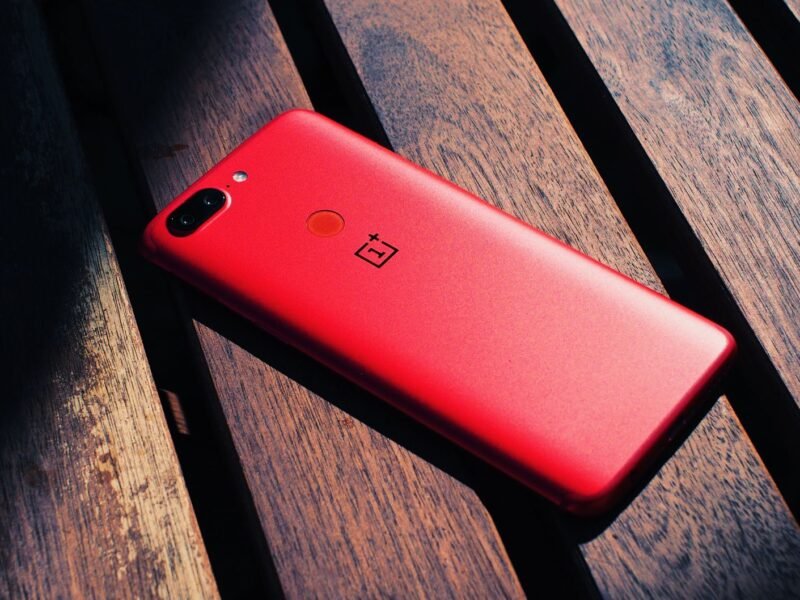
Your OnePlus Android 17 update is ColorOS 17, not OxygenOS 17. OnePlus published its November schedule on November 4: the OnePlus 13R on November 5, the OnePlus 12 on November 17, the Pad 3 on November 18, the Open on November 24, and the Nord 6 and Nord CE 6 on November 26. The switch is optional, and OnePlus provides a way back to OxygenOS 16 if you do not like it. This guide covers the full 24-device schedule, what changes on your phone, what early adopters report, and how to install or undo the update without losing anything.
What we know
- OnePlus is not releasing OxygenOS 17. Supported phones and tablets move to OPPO’s ColorOS 17, built on Android 17, and the update is voluntary.
- The OnePlus 15, Pad 4, 15R, 13, 13s and 13R started getting the stable build in India between October 23 and October 27. Six more devices follow in November, eight in December and five in the first quarter of 2027.
- Each official rollout post includes a rollback package to OxygenOS 16 and warns that rolling back erases the phone.
What we don’t know yet
- When the update reaches Europe and North America for each model. OnePlus only says timing “may differ by region and device model.”
- Whether the battery drain some early adopters report is a real regression or the usual few days of post-update indexing.
- How long OnePlus will keep rollback packages available.
When Does Your OnePlus Get Android 17?
The dates below come from OnePlus’s November rollout post and its October roadmap, as reported by Android Headlines and Android Central. Android Authority was first to report the November schedule. These are start dates for a staged rollout, and so far almost every stable build has gone to India first.
| Rollout starts | Devices |
|---|---|
| October 23 (scheduled October 29) | OnePlus 15, OnePlus Pad 4 |
| October 26 (scheduled October 30) | OnePlus 15R, OnePlus 13, OnePlus 13s |
| October 27 (scheduled November 5) | OnePlus 13R |
| November 17 | OnePlus 12 |
| November 18 | OnePlus Pad 3 |
| November 24 | OnePlus Open |
| November 26 | OnePlus Nord 6, OnePlus Nord CE 6 |
| December | OnePlus 12R (and Genshin Impact Edition), OnePlus 11, Nord 5, Nord CE6 Lite, Nord CE5, Pad 2, Pad Go 2 |
| January to March 2027 | Nord 4, N6, N6x, N6 Lite, Pad Lite |
Two things trip people up. First, the order follows the product line, not the launch date, which is why the months-old Nord 6 sits more than a week behind the OnePlus 12, which launched more than two years ago. Second, “rolling out” means batches. In the OnePlus 15R thread, owners were still asking where their update was a week after the start date, and a community regular’s answer was that batches “could take up to 4 weeks or more.” If you are outside India, add more time: OnePlus 13 owners in Europe were still waiting on November 7 with no date given.
Why OnePlus Is Replacing OxygenOS With ColorOS 17
OnePlus announced on July 16, 2026 that it would stop launching new products in Europe and North America. In the same announcement, it said that after ColorOS 17 shipped, owners of eligible devices worldwide “will have the option to voluntarily update to the latest ColorOS,” because sharing one codebase with OPPO lets it “streamline software development, accelerate update delivery, improve software quality.”
The practical promise is unchanged support. Existing devices keep their scheduled software updates and security patches “within the support periods originally committed for each device model.” OnePlus India carries on as before. OxygenOS and ColorOS have shared most of their code for years, so the day-to-day feel is closer than the name change suggests. Even Google is not immune to update hiccups: its November 2026 Pixel update is running late with no explanation so far.
What Changes on Your Phone With ColorOS 17
The official changelog in the OnePlus 13R rollout post runs to several screens. These are the parts you will notice:
- A new “fluid” look. Elements stretch, compress and glow when you touch them, the clock morphs from the Always-On Display to the Lock screen to the Home screen, and the notification drawer and Quick Settings are redesigned with a lighter, translucent card style. App navigation bars now float above the bottom edge.
- Laminar Flow Engine. A new scheduling system aimed at reducing lag when memory is full and stopping the phone closing background apps you are about to return to. OPPO’s own lab numbers for its phones claim up to 25% higher app retention and 55% more stable app launches versus ColorOS 16.
- OnePlus AI. Mind Space can now save TXT, PDF and Word files and summarize them. AI Suggest and Live Alerts show train and flight trips and Uber or Ola ride status. OSee scans documents, reads QR codes and translates text from a photo. A new Translate app handles photo, voice and text translation.
- Safety checks on calls. AI Scam Call Detection listens for AI-generated voices on incoming calls, and AI Face Swap Detection flags manipulated faces during video calls.
- Small but useful. Two apps can play audio at the same time (a toggle in Settings), and auto-brightness learns your manual adjustments.
Not every feature reaches every model. The OnePlus 15R changelog adds Mind Pilot’s Agent mode, which can organize photos and files from a single prompt; the 13R changelog does not mention it. Check the post for your own device before you expect a specific AI tool.
Is the Update Optional, and Can You Stay on OxygenOS 16?
Yes to both. OnePlus’s July FAQ says devices “will be able to choose whether to update to the latest ColorOS system,” and models outside the upgrade list “continue to receive version maintenance support.” If you do nothing, your phone stays on OxygenOS 16 with its security patches for now. OnePlus has not said how long OxygenOS 16 will keep getting patches on devices that qualify for ColorOS 17, so treat staying put as a delay rather than a permanent choice.
If you are impatient, the stable build is also delivered through a Release Candidate card. Go to Settings > System & Updates > Software update > Beta Program and tap Update now if the card is there. A OnePlus moderator confirms it is “the same Stable update as OTA Stable update, just a new way to deliver” it. OnePlus says to confirm you are on the required OxygenOS 16 build first, or the card will not appear.
What Owners Say After Updating
Most comments in the official threads are people asking why they have not received the update yet. Among those who have, the picture is mixed, and none of it is confirmed by OnePlus as a bug:
- Battery. Several OnePlus 15R owners report “heavy battery drain” and more heat in games since the update, while others on the 13R say battery life is “great as usual.” A drop in the first few days after a major update is normal while the phone re-indexes; if it lasts longer, our guide to making your phone’s battery last longer explains how to find the app responsible.
- Missing apps and features. A OnePlus 13R owner found the ODialer app gone after the upgrade, with the Play Store calling it incompatible. Two 15R owners say the advertised AI Photo Agent is not on their phones yet. OPPO’s own feature page notes that some AI features arrive later through separate updates and vary by region.
- AI label on edited photos. Photos edited with the AI tools carry a permanent “AI” mark. A moderator says this depends on local law, pointing to India’s rules on labelling synthetic content.
- The good news. Owners who installed the beta earlier describe the stable build as smooth with no crashes, and several say gaming performance is unchanged.
If apps misbehave after the update, clear the app’s cache before anything drastic. The steps in our guide to stopping Android apps from crashing apply to ColorOS as well as OxygenOS.
How to Install ColorOS 17 Safely
Installing the OnePlus Android 17 update works like any other system update. The difference is that undoing it wipes the phone, so the first step matters more than usual.
- Back up first. OnePlus’s own path is Settings > System settings > Back up and reset > Back up & migrate > Cloud backup, which covers contacts, messages, call logs, photos, documents and your Home screen layout. The Clone Phone app can make a local backup too. Keep a Google account backup on as well.
- Install the last OxygenOS 16 update. ColorOS 17 only shows up once you are on the newest OxygenOS 16 build. Check under Settings > About device > Up to date.
- Wait for the card. When your phone’s batch arrives, the same screen offers the ColorOS 17 download. Use Wi-Fi and charge the phone past half before you start.
- Give it a few days. Expect warmth and shorter battery life while the phone optimizes apps. Judge the update after a week, not an hour.
- Report problems properly. In India, open the OnePlus Community app, go to your profile and tap Bug Report, or dial *#800# for the feedback tool. Elsewhere, use the Feedback form linked in your device’s rollout thread.
If you rely on one phone for work, there is no harm in waiting for the second wave. Samsung’s One UI 9 update, also based on Android 17, is a current reminder of why: some Galaxy owners report Wi-Fi, mobile data and SIM problems after installing it, and no fix has shipped yet.
How to Roll Back From ColorOS 17 to OxygenOS 16
Every stable rollout post ends with a “Rolling back” section and a download link for that model’s OxygenOS 16 package. OnePlus suggests it for “frequent severe crashes,” apps that no longer work, or a “significant decline in device performance.” The warning is in bold in OnePlus’s post: the rollback erases everything on the phone, so back up first. The steps for Indian, European and global models are:
- Download the rollback zip for your exact model and region from its official rollout thread, and copy it to the phone’s storage.
- Go to Settings > About device > Version and tap Build number seven times, then enter your lock screen password, to turn on developer mode.
- Go to Settings > About device > Up to date, tap the button in the top right, choose Local install, select the rollback package, then Extract and Upgrade.
- When it reaches 100%, tap Restart. The phone boots into OxygenOS 16 as new, and you restore your backup.
North American models use a different method with a small helper app linked in the thread; the Indian and global zip will not work on them. If Local install is greyed out, OnePlus’s fix is to turn off Wi-Fi and mobile data, go to Settings > Apps > App management, tap the top-right menu, choose Show system, open Software update, and clear its data under Storage usage, then try again with the networks still off.
One more consideration before you roll back: OnePlus has said which rollback versions stay available “will be subject to future official announcements.” The package exists today. It may not in six months. If you plan to keep the phone for years, deciding early is wiser than assuming the door stays open. And if this transition has you weighing a different brand next time, our Samsung vs OnePlus comparison covers how each handles updates.
Quick Answers
When will the OnePlus 12 get Android 17? OnePlus’s official schedule starts the OnePlus 12 rollout on November 17, 2026, as ColorOS 17. It arrives in batches, India first, so some owners will see it days or weeks later. The Pad 3 follows on November 18, the OnePlus Open on November 24 and the Nord 6 and Nord CE 6 on November 26.
Is OxygenOS 17 coming? No. OnePlus confirmed in July 2026 that supported devices move to OPPO’s ColorOS 17 with the Android 17 update. OxygenOS 16 remains the last OxygenOS version, and it keeps receiving maintenance updates on devices that are not in the ColorOS 17 upgrade list.
Do I have to update to ColorOS 17? No. OnePlus calls the update voluntary. If you ignore the update card, your phone stays on OxygenOS 16 with its current security patches. OnePlus has not said for how long, so plan to switch eventually.
Can I go back to OxygenOS 16 after installing ColorOS 17? Yes, with the rollback package OnePlus links in each device’s stable rollout post. Install it through Settings > About device > Up to date > Local install after enabling developer mode. It wipes the phone, so back up first, and North American models need a separate method.
Which OnePlus phones are getting the Android 17 update at all? Twenty-four devices: OnePlus 15, 15R, 13, 13s, 13R, 12, 12R, 11, Open, Nord 6, Nord CE 6, Nord 5, Nord CE6 Lite, Nord CE5, Nord 4, N6, N6x, N6 Lite, Pad 4, Pad 3, Pad 2, Pad Go 2, Pad Lite and the 12R Genshin Impact Edition. Phones not on the list, such as the OnePlus 11R, are outside the ColorOS 17 upgrade scope and keep OxygenOS maintenance updates instead.
Sources: OnePlus Community rollout posts for the November schedule, the OnePlus 13R and 15R stable builds, and the July 16, 2026 operational announcement; OPPO’s ColorOS 17 page; OnePlus’s Clone Phone support page; Android Headlines (November 5) and Android Central (November 6). Menu paths are quoted from OnePlus’s own posts and were not checked on a phone.