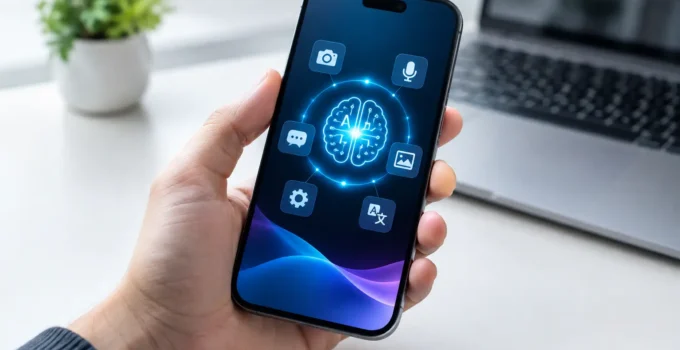
A phone that removes a stranger from a photo, summarizes a long email, translates a conversation, or screens a suspicious call is using mobile AI. These features can save real time, but they also raise sensible questions: Is your data leaving the phone? Does the result need checking? And is AI a reason to upgrade your device?
The useful answer is more practical than the marketing. Mobile AI is not one feature or one app. It is a group of tools that use machine learning to understand text, images, sound, and patterns on a smartphone. Some run directly on the device, some use online servers, and many use a mix of both.
What Is Mobile AI?
Mobile AI means artificial intelligence features designed for smartphones and tablets. Your phone has used forms of AI for years. Face unlock, portrait-mode photos, predictive text, spam-call alerts, and automatic photo organization all depend on it.
What has changed is the type of task a phone can handle. Newer tools can generate text, rewrite messages, search across your photos using plain language, create image edits, provide live translation, and turn recordings into transcripts. Apple, Google, Samsung, and several Android brands are building these options into their software, while apps add their own AI features.
The label can be confusing because not every feature works the same way. A keyboard suggestion based on words you commonly type is very different from an AI assistant that drafts a travel plan. Both may be called AI, but they have different privacy implications, accuracy limits, and hardware requirements.
On-device AI vs. cloud AI
On-device AI processes information locally, meaning the work happens on your phone. This can be faster for simple tasks, can work without an internet connection, and usually keeps the relevant data on the device. Voice dictation, camera scene detection, and some translation tools are common examples.
Cloud AI sends a request to remote servers, where more powerful systems process it and return an answer. This approach can handle larger writing requests, more detailed image generation, and complex questions. The trade-off is that it needs an internet connection and may send content such as text, voice, or an image outside your phone.
A hybrid approach is increasingly common. Your phone may first determine whether a request can be handled privately on-device, then use an online service only when needed. Check the feature’s privacy description instead of assuming every tool follows the same rule.
Where Mobile AI Is Most Useful
The best mobile AI features tend to solve small, frequent problems rather than perform dramatic tricks. For many people, the value appears in everyday moments.
Camera AI can recognize a document and straighten the image, reduce background noise in a video, suggest the best shot from several similar photos, or help remove a distracting object. Results vary. Removing a power line from a clear sky may look convincing, while changing a busy background can leave odd textures or alter details that matter.
Writing tools can proofread a message, change its tone, summarize a long note, and help organize rough ideas. They are helpful for starting an email or making a message clearer, but they should not be treated as a final editor for schoolwork, job applications, legal matters, or anything that needs exact facts.
Call and language features are especially practical. Live captions can make calls easier to follow in a noisy place. Translation can help with signs, menus, and simple conversations. Call screening and spam detection may reduce interruptions. None is perfect, particularly with strong accents, names, technical terms, or poor cellular service.
Photo search is another understated benefit. Instead of scrolling through years of images, you may be able to search for phrases such as “dog at the beach,” “receipt from March,” or “red backpack.” This is useful only if you are comfortable with how your phone analyzes and indexes your photo library.
What Mobile AI Cannot Do Reliably
AI can sound confident even when it is wrong. A generated answer may mix up dates, invent sources, misunderstand a question, or leave out important context. That is not just an online problem. The same caution applies when an AI tool is built into a phone.
Treat AI-generated text as a draft, not a verified answer. Read it before sending. Check names, numbers, dates, addresses, prices, and quoted claims. If a feature summarizes a meeting, listen to key sections of the recording before relying on the notes.
Image tools need similar care. Generative edits may change objects, faces, text, or fine details in ways that are hard to spot at first glance. Avoid using altered images as evidence for insurance claims, school records, official documents, or newsworthy events. A cleaner vacation photo is one thing; changing the factual meaning of an image is another.
There is also a practical limitation: many advanced features are limited to recent flagship phones, specific regions, supported languages, or newer operating system versions. A lower-cost Android phone may still offer useful AI through Google Photos, Gboard, or third-party apps, but it may not run the most demanding features locally.
How to Use Mobile AI Without Giving Up Control
Start with one feature that solves a problem you actually have. If your inbox is overwhelming, try email summaries. If you take many photos, test photo search or editing. If you work across languages, enable translation for a few days. This approach makes it easier to judge whether a tool is useful rather than simply novel.
Before using an AI feature with sensitive material, look for its privacy details. Consider these questions:
- Does the feature process content on the phone, online, or both?
- Is your request stored, reviewed, or used to improve the service?
- Can you turn off activity history or delete past requests?
- Does the app need access to your photos, microphone, contacts, or entire clipboard?
On iPhone, review permissions in Settings under Privacy & Security, then check individual app settings and the privacy information for any AI service you enable. On Android, open Settings, then Privacy or Security & Privacy, and review app permissions, microphone and camera access, and your Google account activity controls. Menu names vary by manufacturer and Android version, but the goal is the same: grant access only when it is necessary.
Be selective with third-party AI keyboard apps. A keyboard can potentially see much of what you type, including private messages and login-related information. Use established providers, read their data practices, and avoid entering passwords, financial details, medical information, or confidential work material into generative AI prompts.
Should Mobile AI Affect Your Next Phone Purchase?
It should be one factor, not the deciding factor for most buyers. Battery life, screen quality, camera performance, software support, price, storage, and repair options will affect your experience every day. AI features are more valuable when they support those basics instead of distracting from them.
If you want on-device tools such as fast transcription, offline translation, advanced voice features, or photo editing without uploading every image, newer hardware can matter. Phones with more capable processors and enough memory are generally better prepared for future AI updates. Still, there is no guarantee that every announced feature will reach every model or country.
Before buying, check the exact model, storage configuration, language support, and availability in your region. Also look beyond the demo. Ask whether you would use the feature weekly, whether it requires a subscription, and whether a free app on your current phone already handles the job well.
The Best Way to Think About Mobile AI
Mobile AI is most helpful when it stays in the background: filtering a scam call, finding a receipt, cleaning up a noisy recording, or saving you from rewriting the same message three times. It is less useful when it creates extra work through inaccurate answers, confusing privacy settings, or features you never open again.
Try the tools that fit your routine, keep a human check on anything important, and review permissions as you go. A smart phone feature earns its place when it gives you more time and control, not when it merely makes a good demo.