Updated November 14, 2026
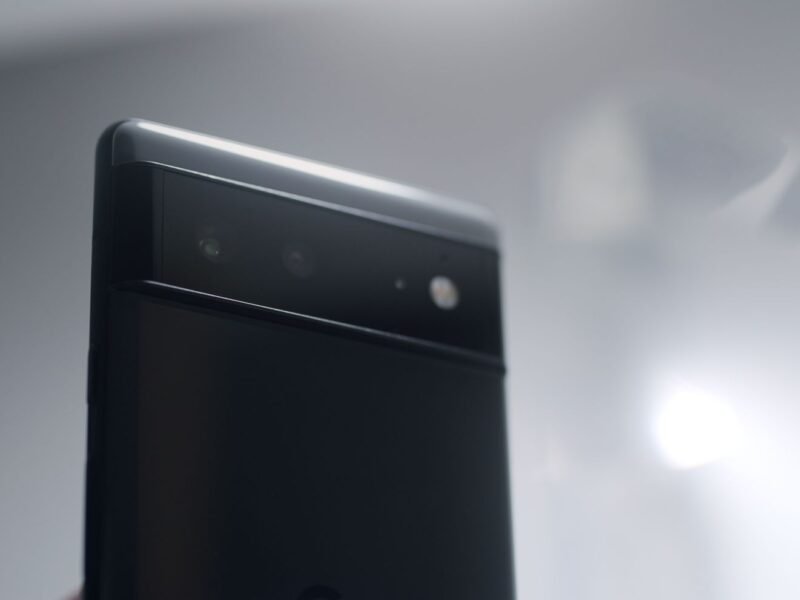
Some Pixel 10 and Pixel 11 owners say their cameras stopped working after Google’s November 2026 update: a black viewfinder or a “Something went wrong” error, in every camera app. Google hasn’t commented yet. The fix that is working for most people is to switch the phone fully off for about five minutes. Below you’ll find who is affected, the other bugs being reported, and what to do for each one.
Update (November 14, 2026): Google’s Pixel Community team has started contacting affected owners to gather details, according to reports, but there is still no fix or official explanation. The same update has also stopped some Pixels from joining work and school Wi-Fi; see our guide to the Pixel work and school Wi-Fi bug.
What we know
- Google published the November 2026 Pixel Update Bulletin on November 10. It brings the 2026-11-05 security patch to every supported Pixel, from the Pixel 6a up.
- Camera failures are being reported on the Pixel 10 and Pixel 11 series. Front and rear cameras are both affected, and so are third-party camera apps.
- A normal restart, clearing the Camera app’s cache, Safe Mode and, in at least one case, a factory reset did not help.
- Powering the phone off and leaving it off for about five minutes brought the camera back for several owners.
- Other complaints since the update: wireless charging that drains instead of charges, a touchscreen that stays awake for a few seconds after locking, and glitches in the notification shade, always-on display and Desktop Mode.
- Some Pixels can no longer connect to work or school (enterprise) Wi-Fi, while home Wi-Fi still works.
- Google’s Pixel Community team has contacted some affected owners for details.
What we don’t know yet
- What causes the camera fault, and whether the five-minute shutdown fixes it for good or only until the next time.
- How many phones are affected. Most Pixel owners are not reporting problems.
- When Google will release a fix. It has not acknowledged the bugs on its own pages as of November 14, 2026.
Is Your Pixel Camera Not Working After the November Update?
The camera reports were first gathered by Android Authority from Reddit and Google’s Pixel Phone Help community. Owners describe two versions of the same problem:
- The Pixel Camera app opens to a black screen with no preview.
- The app shows “Something went wrong. Close and open the Camera app again.”, and doing that changes nothing.
Because third-party apps that use the camera fail too, this does not look like a fault in the Camera app alone. One Pixel 11 owner gave their build number as CP4A.261105.040.D1, which helps you compare: you can find yours under Settings > About phone > Android version > Build number.
So far the reports come from the Pixel 10 and Pixel 11 families. Nobody with an older Pixel has reported it in the threads we read.
How to Fix a Black Camera Screen on Pixel 10 and Pixel 11
Try these in order. Open the camera after each step to see whether it is back.
- Turn the phone fully off, not restart. On a Pixel 6 or later, press and hold the Power and Volume up buttons for a few seconds, then tap Power off. That’s the button combination on Google’s camera help page.
- Leave it off for about five minutes. This is the step that matters. Product Experts on Google’s own help forum suggested it, and owners say a quick restart did not have the same effect.
- Turn it back on by holding the Power button, then open Pixel Camera.
- If it is still black, reset camera access. Swipe down twice from the top of the screen and tap the Camera access tile to turn it off. Wait about five minutes, tap it again to turn it back on, then reopen the app. If the tile isn’t there, tap Edit at the bottom of Quick Settings and drag it in. Google explains the tile on its camera and microphone access page.
- Check for a newer update in Settings > System > Software updates, and update Pixel Camera in the Play Store (Profile icon > Manage apps & devices). A proper fix will come one of these two ways.
Google’s normal camera checklist also includes clearing the Camera app’s cache and testing in Safe Mode. They are harmless, but owners with this fault say neither helped. Our guide on stopping Android apps from crashing walks through both if you want to rule them out.
Should You Factory Reset Your Pixel?
No, not for this. A factory reset erases everything on the phone, and at least one owner reported the camera was still dead after doing it. The reset puts the same software back, so it can’t remove a bug that lives in the update itself.
Google’s help page says that if other apps also fail when they use the camera, it is “likely a hardware issue”. That rule of thumb is worth knowing, but it fits poorly here: many phones lost their cameras at the same moment, right after the same update. Try the five-minute shutdown first. Book a repair only if the camera stays dead after a later update.
Pixel Wireless Charging Not Working After the Update
The second most reported problem, covered by Android Police, is wireless charging on the Pixel 10 series. The phone says it is charging on the pad, but the battery level slowly goes down. The first owner to report it said the same chargers worked before the update, and wired charging still works.
What you can do while you wait:
- Use a cable for now. That keeps the battery topped up and avoids the slow drain.
- Run Settings > Battery & charging > Charging diagnostics. On Pixel 6 and later it checks for heat, liquid or debris in the port, and incompatible chargers. Details are on Google’s slow wireless charging page.
- Remove the case and any metal or magnetic add-ons, like ring holders, then re-center the phone on the pad.
If you want your battery to hold up through a bug like this, our battery health guide explains which charging habits actually matter.
Other November Update Bugs Pixel Owners Report
These come from Reddit threads collected by Android Authority and Tech Advisor. Each has a handful of reports, not thousands.
| Problem | Phones mentioned | What helps for now |
|---|---|---|
| Screen reacts to touches for about 4 seconds after locking, even with Tap to Wake off (pocket touches) | Several models | Wait about five seconds after locking before pocketing the phone |
| Notification shade needs extra swipes to close or won’t pull down from the home screen | Several models | Nothing reliable yet |
| Always-on display shows a faded notification shade; inner screen doesn’t wake on unfold | Pixel 9 Pro Fold | Press the Power button |
| Lock screen clock style can’t be changed | Pixel 10 Pro XL | Nothing reliable yet; a reboot did not help |
| Desktop Mode: HDMI audio plays from the phone, the dock disappears when the screen times out | Pixel phones used with a USB-C dock | Keep the phone screen on while docked |
Should You Install the November 2026 Pixel Update?
Some sites now say to hold off. We’d put it more carefully. The update carries security fixes, and the bulletin lists flaws in the kernel and telephony parts of the phone. Most Pixels that installed it are working normally. And the worst bug, the camera, has a workaround that takes five minutes.
If your phone is your only camera for something important this week, such as a trip or an event, waiting a few days is reasonable. One detail helps here. Google’s update page says a Pixel installs a downloaded update in the background and the new version only goes live the next time you restart. If the update is waiting for a restart, you can choose when that happens.
For background on how this update arrived a week late, see our earlier piece on the November 2026 Pixel update. Samsung owners have been through something similar: One UI 9 broke Wi-Fi and mobile data for some Galaxy phones. PCs had their own trouble this month, with the Windows 11 November update failing to install or print for some people.
What Did Google Fix in the November Update?
Ironically, the update’s changelog lists more than 30 fixes, and one is a camera fix: photos “not saving properly under certain conditions”. Droid Life published the full list. That fix applies only to the Pixel 11 series, and it deals with saving photos, not with a camera that won’t open. It is not a fix for the black-screen bug.
Other fixes cover the on-screen keyboard not appearing in search fields, a charging icon showing with no charger connected, Bluetooth accessory connections and animation stutter. The security side is on Google’s Pixel Update Bulletin for November 2026, published November 10.
Where to Report the Problem to Google
- Post in the Pixel Phone Help community and add a “same problem” vote to the existing thread. Include your model and build number.
- Use the Contact us link at the bottom of any Pixel Phone Help page to reach Google support directly.
- If your Pixel is under warranty and the camera stays dead after a later update, ask Google for a repair rather than paying a third party.
Whether the Pixel 10 and 11 remain among the best camera phones of 2026 depends on Google fixing this quickly. We’ll update this page when Google responds or ships a fix.
Quick Answers
Why is my Pixel camera not working after the update? Some Pixel 10 and Pixel 11 phones show a black screen or “Something went wrong” in every camera app after the November 2026 update. Google has not explained the cause yet.
How do I fix the Pixel black camera screen? Turn the phone fully off (Power + Volume up, then Power off), leave it off for about five minutes, and turn it back on. If that fails, switch the Camera access tile off for five minutes and back on.
Will a factory reset fix the Pixel camera bug? Unlikely. Owners who reset still had a dead camera, and a reset erases your data. Wait for Google’s fix instead.
Which Pixel phones are affected? Reports name the Pixel 10 and Pixel 11 series for the camera bug and the Pixel 10 series for wireless charging. No camera reports from older Pixels so far.
Can I skip the November Pixel update? You can delay it, because a downloaded update only takes effect after a restart. It includes security fixes, so install it once you’re past anything where you need the camera.
Has Google confirmed the bugs? Not as of November 13, 2026. Android Authority and Android Police have asked Google for comment.