Updated November 12, 2026
Google’s Gemini app now runs on Apple CarPlay, so iPhone owners can hold a spoken Gemini Live conversation from the car’s screen. Google began a worldwide rollout on November 11, 2026. You need the latest Gemini app, microphone access turned on, and one Gemini Live chat on your phone first. Below: how to set it up, what to try, why the icon might be missing, and what it can’t do.
What we know
- Google announced the CarPlay app on November 11 and says it is rolling out globally to all Gemini users on iOS, in every language Gemini Live supports.
- It opens Gemini Live, the voice mode of the Gemini app. You can start a new chat or resume a recent one, interrupt Gemini, change the subject or pause.
- Every CarPlay conversation is saved to the chat history in the Gemini app on your iPhone.
- Gemini can read your calendar and Gmail in the car, including the Daily Brief, if you have connected those apps.
- CarPlay has allowed voice-based AI apps since iOS 26.4. ChatGPT, Claude, Copilot, Perplexity, Grok and Meta AI already had CarPlay apps.
What we don’t know yet
- How long the rollout takes. Google has given no schedule, and 9to5Mac reported on November 11 that the update did not seem to be live yet.
- Whether there will be a wake word. Google describes tapping the Gemini icon to start, and the steering-wheel voice button still opens Siri.
- The exact minimum iOS version for the CarPlay part. The Gemini app itself needs iOS 18.2, but CarPlay voice apps arrived with iOS 26.4.
What Is Gemini on CarPlay?
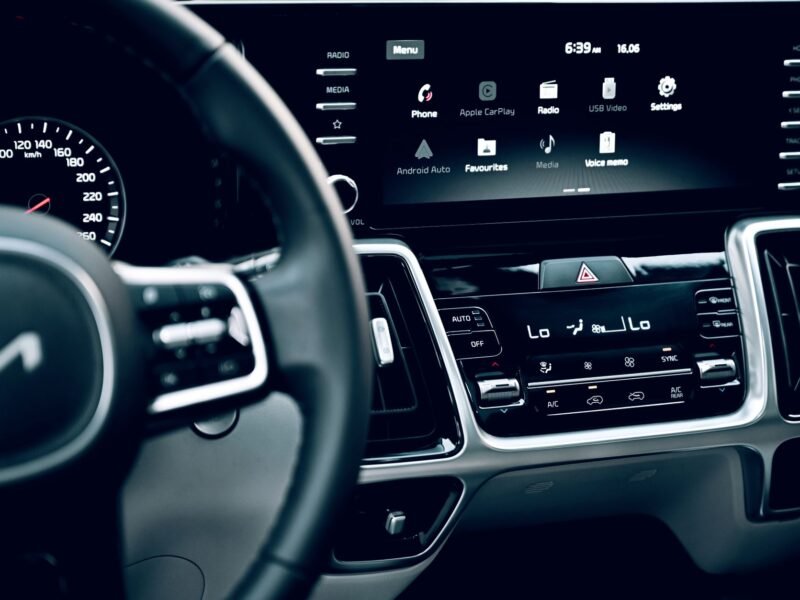
It is the Gemini app with its own icon on your car’s CarPlay screen. Tap it and Gemini Live starts: a back-and-forth spoken chat where Gemini answers out loud. 9to5Google describes a simple waveform that shows when Gemini is listening, thinking or speaking, with End and Mute buttons in the top-left corner.
In Google’s announcement, product manager Karan Daryanani says the app was designed as “a conversational driving companion that minimizes distraction”. It follows the same launch on Android Auto and in cars with Google built-in. 9to5Google and MacRumors were among the first to report the CarPlay rollout.
If you are new to AI assistants on phones, our explainer on what mobile AI actually does covers the basics.
Gemini App on CarPlay vs Gemini in Google Maps
There are now two different ways to reach Gemini on CarPlay, and they are easy to mix up. Google started adding a Gemini button inside Google Maps on CarPlay in October. That one only appears while Maps is navigating and is meant for route and place questions. The new Gemini app is a full chat that works whether you are navigating or not.
| Gemini app on CarPlay | Gemini in Google Maps | |
|---|---|---|
| Where you find it | Its own icon on the CarPlay screen or side rail | A button inside Google Maps during navigation |
| Best for | Calendar, email, questions, brainstorming | Route, traffic and places along the way |
| Needs | Gemini app, microphone access, one Gemini Live chat on the phone | Google Maps app, active navigation |
| Chats saved to | Gemini app history on your iPhone | Google Maps |
How to Use Gemini on CarPlay
Google lists three things to do on your iPhone before your first drive. Do them while parked.
- Update the Gemini app. Open the App Store, tap your profile picture, and update Google Gemini if an update is listed.
- Allow the microphone. Go to Settings > Privacy & Security > Microphone and make sure Gemini is switched on. Our guide to changing iPhone app permissions shows the other places to check.
- Use Gemini Live once on the phone. Open the Gemini app, tap Live at the bottom, follow any first-time prompts and say something. Then tap End.
- Connect to your car. Plug in your iPhone or let wireless CarPlay connect as usual.
- Tap the Gemini icon on the CarPlay screen or in the side rail. Choose a recent chat to pick up where you left off, or start a new one, then talk.
To end the chat, tap End. Later, open the Gemini app on your iPhone to read the conversation, copy anything useful or keep going by text.
What You Can Ask Gemini While Driving
Google’s own examples fall into four groups. These are the kinds of requests that suit a voice-only chat.
- Your day: “What does my day look like?” or “When do I need to leave for my next appointment?” This uses Google Calendar.
- Your inbox: “Give me my daily brief for today” or “Catch me up on my unread emails.” Gemini can summarize long Gmail threads and help you talk through a reply.
- Places: ask for a quick lunch spot near where you’re heading, or the story behind a landmark you’re passing.
- Thinking out loud: rehearse a presentation, prepare for a tough conversation, or ask for a simple explanation of a topic.
Google’s footnote adds two limits. The Daily Brief has to be turned on in the Gemini app first. And personalized features, Daily Brief included, are not available to users under 18 or in the European Economic Area and Nigeria. Money questions are out as well: Gemini’s new Google Wallet connection doesn’t work in Gemini Live.
Work or school account? Google’s Gemini Live help page says only Google Calendar, Google Keep and Google Tasks can be used in Live chats with those accounts, so inbox summaries may not work there.
Gemini Icon Not Showing on CarPlay? Try These Fixes
Because this is a staged rollout, the icon will not appear for everyone on day one. Work through these checks in order, while parked.
- Check the three setup steps again. The missing step is often the first Gemini Live chat on the phone.
- Update iOS. CarPlay only gained voice-based AI apps in iOS 26.4. Go to Settings > General > Software Update. If you just installed iOS 27.2.1, our note on the iOS 27.2.1 update and CarPlay reports covers a fix for a wired CarPlay connection that drops.
- Look in the CarPlay app list. Apple’s CarPlay support page says to go to Settings > General > CarPlay, select your car, then tap Customize. If Gemini is in the list but switched off, tap the Add button. You can also drag it up so it shows on the first screen.
- Reconnect. Unplug the cable or turn the car off and on, so CarPlay reloads its app list.
- Wait a day or two. If Gemini is not in the Customize list at all after all of the above, the CarPlay feature most likely has not reached your account yet.
Gemini vs Siri on CarPlay
Gemini does not replace Siri. The voice-command button on your steering wheel, and holding the CarPlay Home button, still call Siri, as Apple’s CarPlay page describes. Gemini only starts when you tap its icon.
That split decides which one to use:
- Use Siri for things on the phone and in the car: calls, messages, music, directions in Apple Maps. Gemini’s App Store listing says it does not currently support iOS device actions like setting alarms or sending texts directly.
- Use Gemini for longer conversations, Gmail and Google Calendar, and open questions where you want follow-ups.
Apple’s rules for this kind of CarPlay app also keep it voice-first: responses are spoken rather than shown as text and images, and the app cannot control the car.
Which AI Apps Work on CarPlay Now?
With Gemini, every major chatbot now has a CarPlay app: ChatGPT, Claude, Copilot, Perplexity, Grok, Meta AI and Gemini. Apple also added a Siri app with CarPlay support in iOS 27. Each one is opened by tapping its icon, and none can take over the steering-wheel button.
If you already pay for one assistant, there is little reason to switch for the car alone. Pick the one whose account already holds your email, calendar and past chats. For Google users, that is Gemini. The same “assistant everywhere” push is happening on wrists too, as with Meta’s Muse on Apple Watch and Wear OS.
Privacy: What Happens to Your Car Chats
CarPlay chats are ordinary Gemini chats, so the same rules apply. According to Google’s Gemini privacy hub:
- With Keep Activity on, chats are saved to your Google account and can be used to improve Google’s services.
- With Keep Activity off, Google still keeps chats with your account for 72 hours to respond to you and for safety.
- Human reviewers can be involved even when Keep Activity is off.
Two practical points: passengers can hear everything Gemini reads out, including email summaries, and anyone in the car is being recorded while the mic is on. Google’s Live help page asks you to get permission before including other people in a Live chat. For a wider look at how Apple and Google handle your data, see our iPhone vs Android privacy comparison.
Is It Safe to Use While Driving?
It is hands-free once started, but starting it takes a tap on the screen, and a long chat still takes some of your attention. Several MacRumors readers said straight away that they would not use it for that reason. A sensible approach: tap the icon before you pull out, keep requests short, use Mute or pause the chat when traffic gets busy, and leave reading or replying to long emails until you park. Local laws on touching screens while driving also apply.
Quick Answers
Is Gemini on CarPlay free? Yes. The Gemini app is free on the App Store, and Google says the CarPlay feature is rolling out to all Gemini users on iOS. Paid Google AI plans add features in the app itself.
Do I need a new car? No. Any car that supports CarPlay, wired or wireless, should show the Gemini icon once the app supports it on your iPhone.
Can I say “Hey Google” in the car? Google has not described a wake word for CarPlay. You start Gemini by tapping its icon, and the steering-wheel button still opens Siri.
Can Gemini on CarPlay send a text or play music? Not directly. The Gemini app doesn’t currently handle iPhone actions like sending texts or setting alarms. Use Siri for those.
Is Gemini on CarPlay available in my country? Google says it is rolling out globally in every language Gemini Live supports. Personalized features such as the Daily Brief are not offered in the European Economic Area or Nigeria, or to users under 18.
Where do my CarPlay chats go? They sync to the chat history in the Gemini app on your iPhone, where you can read them after you park.