Updated November 20, 2026
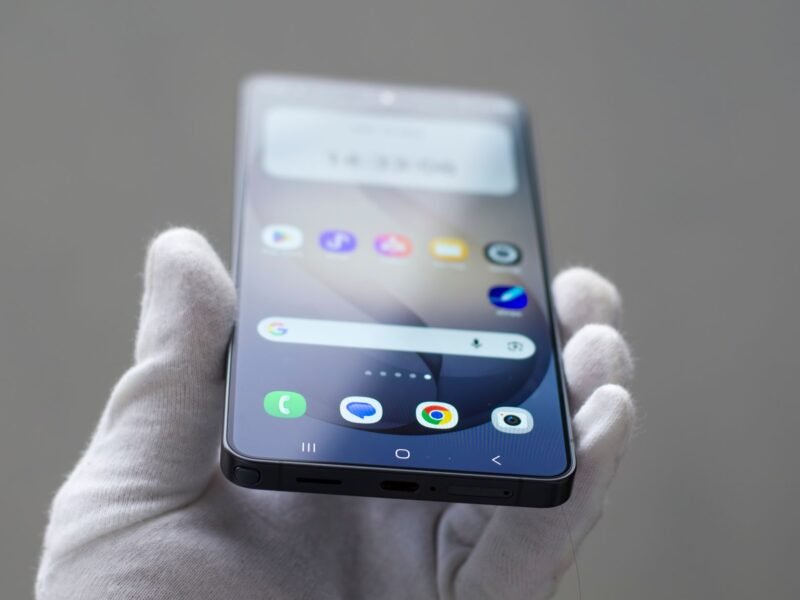
Samsung opened the One UI 9.5 beta on November 18, 2026 for the Galaxy S26, S26+ and S26 Ultra in six countries: the US, the UK, Germany, India, South Korea and Poland. It is free and you join through the Samsung Members app. It adds App Lock, new camera controls and two Samsung Health tools. Before you tap Join, know this: going back to the normal software wipes the phone. Here is how to join, what is new, and who should wait.
What we know
- The beta is for the Galaxy S26 series only, in the US, the UK, Germany, India, South Korea and Poland.
- You sign up in the Samsung Members app, then install it like a normal update.
- Samsung has confirmed App Lock, Enhanced Pro camera modes, a new zoom bar, Mindful Note and Medications in Samsung Health, and easier accessibility and hearing aid controls.
- Leaving the beta after you install it means a rollback on a computer, and Samsung says the rollback resets the phone.
- Samsung provides beta software “as is”, with no warranty, and says it may contain bugs or missing features.
What we don’t know yet
- When the finished version of One UI 9.5 will be released. Samsung says it cannot give a date.
- When older Galaxy S phones, the Galaxy Z foldables or other countries will get the beta.
- Which bugs the first build has. No confirmed list has been published.
- Whether every banking, payment and work app runs on it.
Which Phones and Countries Can Get the One UI 9.5 Beta?
Samsung’s announcement names one phone family and six markets.
| Requirement | What Samsung says |
|---|---|
| Phone | Galaxy S26, Galaxy S26+ or Galaxy S26 Ultra |
| Country | US, UK, Germany, India, South Korea or Poland |
| Account | A Samsung Account, signed in to Samsung Members |
| Cost | Free (you pay only for any mobile data used to download it) |
Other Galaxy phones are not included yet, and Samsung has not said when that changes. Its beta rules also say the period and the compatible devices vary by country.
One detail is new this time. SamMobile points out that this looks like the first beta Samsung opened in all six countries at once. In earlier rounds India and Poland got it later.
Samsung’s own pages disagree slightly on the start date. The global newsroom post is dated November 18 and says the program is “open today”. The US newsroom says it is available “starting November 17”. Either way, it is open now.
Should You Install the One UI 9.5 Beta?
A beta is unfinished software that Samsung shares so users can report problems. Samsung’s One UI Beta Program page says it “may contain bugs, errors, and inaccuracies or behave unexpectedly” and that you use it at your own risk, including the risk of losing data.
We have not installed this beta, so we cannot tell you how stable the first build is. What we can do is help you decide. Wait for a later build, or for the finished release, if any of these apply:
- The Galaxy S26 is your only phone and you need it for work.
- You rely on it for banking, payments or two-factor login codes. Nobody has confirmed that all of these apps run on the beta.
- You do not have a Windows PC or Mac. You need one to back up properly and to go back.
- You are not willing to set the phone up again from a backup if something goes wrong.
Samsung fan site Sammy Fans goes further and advises everyday users to skip the first build and wait for the second. That is its writer’s opinion, not Samsung’s guidance, but it is a sensible default. The last big update had rough edges even in its finished form, as our guide to One UI 9 Wi-Fi, mobile data and SIM problems shows.
How to Join the One UI 9.5 Beta on a Galaxy S26
These steps follow Samsung’s beta program page, checked on November 20, 2026.
- Back up first. Samsung “highly recommends” backing up to a computer with the PC version of Smart Switch before you install any beta.
- Update your apps. Samsung says to bring every app up to date first, to avoid compatibility issues.
- Open Samsung Members and sign in with your Samsung Account. The app is in the Galaxy Store and the Google Play Store if you do not have it.
- Tap the One UI Beta Program banner or Beta card on the home screen and complete the registration.
- Go to Settings > Software update > Download and install.
- Download the update on Wi-Fi, then let the phone restart to install it.
A phone often uses more battery for a day or two after a major update. If yours still drains quickly after that, our phone battery health guide has the settings to check.
Why Is the One UI 9.5 Beta Not Showing Up?
If you see no banner, or no update after you register, the usual reasons are simple:
- Wrong phone. Only the Galaxy S26, S26+ and S26 Ultra are included for now.
- Wrong country. The program runs in six countries only.
- It has not reached you yet. Samsung says beta updates “are rolled out gradually” to people who have joined. Check again later.
- Something is out of date. Update Samsung Members and install any waiting system update, then look again.
What Is New in One UI 9.5?
This list covers only what Samsung has announced. Other sites have published longer change lists taken from leaks, which we have left out.
App Lock
You can lock individual apps with biometrics or your screen lock. Samsung says a locked app’s notification content and widgets stay hidden too. It is a lighter tool than Secure Folder, which keeps separate copies of apps and files in a protected space. If you need that stronger separation, see how to set up Samsung Secure Folder.
Camera
Enhanced Pro and Pro video modes get customizable controls and presets. The standard camera gets improved controls and a zoom bar that put the key settings on one screen. Samsung notes that the Pro changes do not apply to phones with the Pro Lite modes.
Samsung Health
Mindful Note is a journal with free writing or guided prompts. Samsung’s US newsroom calls it Mind Note, so you may see either name. It is not supported on Galaxy Watch. Medications lets you add prescriptions, vitamins and supplements, set reminders and track how often you take them. Samsung says its availability may vary by market. If Samsung Health has ever seemed to lose your data, read our explainer on missing Samsung Health step history.
Accessibility
A floating shortcut keeps the accessibility controls you use most within reach. Hearing aid users can change the volume from the notification panel and choose which sounds, such as notifications, ringtones and alarms, go to their hearing aids.
How to Leave the Beta and Go Back to One UI 9
This is the part most guides skip. Leaving takes two steps, and the second one erases the phone.
- Withdraw. In Samsung Members, go to Settings > Beta program settings > Withdraw from beta program.
- Roll back. Connect the phone to a computer with a USB cable, open Smart Switch on the computer and select Downgrade.
Samsung states that the rollback “resets the device and removes data generated during beta testing”. If you made a Smart Switch backup on the computer before you joined, you can restore it afterward. Photos, messages and files created while on the beta are not in that backup, so copy them somewhere safe first.
If you registered but never installed the beta, step 1 is all you need. If an installation fails and the phone will not start, Samsung’s advice is to visit a Samsung Service Center.
There is a third option: stay on the beta and wait. Samsung says testers can keep using it and update to the official version when that is released.
How to Report a Bug to Samsung
In Samsung Members, open the beta you joined and choose Send feedback. Samsung asks you to send the report within 3 minutes of the problem, so the right logs are attached, and to keep the app open until it confirms the report was sent. That can take up to 5 minutes.
If one app keeps closing on the beta, the basic steps in our guide to stopping Android apps from crashing are worth trying before you report it.
Quick Answers
Is the One UI 9.5 beta free? Yes. Samsung charges nothing to join. You only pay for mobile data if you download it without Wi-Fi.
Which phones can get the One UI 9.5 beta? Only the Galaxy S26, S26+ and S26 Ultra for now, and only in the US, the UK, Germany, India, South Korea and Poland.
Will joining the beta delete my data? Installing it should not, but Samsung warns that unexpected behavior in beta software can cause data loss. Rolling back to the normal software always resets the phone.
When will the finished One UI 9.5 be released? Samsung has not given a date. Its beta page says the release comes after beta feedback has been analyzed and improvements are made.
Is App Lock the same as Secure Folder? No. App Lock puts a lock on an app you already use. Secure Folder is a separate protected space with its own copies of apps and files.
Can I join with a Galaxy S25 or a Galaxy Z Fold? Not yet. Samsung’s announcement covers the Galaxy S26 series only, and it has not said when other models will follow.